פוגשת
MOODLE
מה חדש
פתרון בעיית צפייה בסרטונים למכשירי iOS
מאת : עופר ברעם | בתאריך 2025-11-30 12:29:40

(instructions in English below)

להלן שלבים להפעלת תצוגת "אתר מותאם למחשב" (Request Desktop Site) בדפדפן כרום במכשירי Apple (אייפון ואייפד - iOS/iPadOS):
האפשרות הבאה מוגדרת עבור כל כרטיסייה בנפרד ואינה הגדרה גלובלית בדפדפן כרום עבור iOS, 
אלא פעולה נקודתית שצריך לבצע בכל כרטיסייה חדשה שבה רוצים להפעיל את התצוגה:

1. פתיחת דפדפן Chrome במכשיר האייפון או האייפד.
2, ניווט אל האתר שרוצים לראות בתצוגת מחשב.
3.הקשה על סמל שלוש הנקודות (•••) שנמצא בסרגל הכלים, בדרך כלל בפינה הימנית התחתונה של המסך.
בתפריט שנפתח, יש לגלול מטה עד שרואים את האפשרות "אתר מותאם למחשב" (או "Request Desktop Site").
יש להקיש על אפשרות זו (לפעמים יש לידה סמל של צג מחשב קטן). הדף ייטען מחדש באופן אוטומטי בגרסת המחשב השולחני שלו.

רצ"ב מדריכים מומלצים עם פירוט מלא ואפשרויות נוספות (כולל הפעלה בדפדפני מוזילה וספארי):


The following are steps to enable the "Request Desktop Site" view in Chrome on Apple devices (iPhone and iPad - iOS/iPadOS):

This option is set for each tab separately and is not a global setting in Chrome for iOS but rather a specific action that must be performed on each new tab where you want to enable the view

Open the Chrome browser on your iPhone or iPad.

Navigate to the website you want to view in desktop view

Tap the three dots (•••) icon located in the toolbar, usually in the lower right corner of the screen

In the menu that opens, scroll down until you see the "Request Desktop Site" option

Tap this option (sometimes there is a small computer monitor icon next to it). The page will automatically reload in its desktop version


:A series of guides with full details and additional options (including running in Mozilla and Safari browsers)

https://smart.dhgate.com/mastering-desktop-site-requests-on-iphone-a-complete-guide-for-seamless-browsing/

https://youtu.be/UhgD_NlG9-M?si=EAQrdLqVFpopaV2S


המלצות לשיפור תגובת הדפדפן לצפייה בסרטונים / Recommendations to improve browser performance for video playback
מאת : עופר ברעם | בתאריך 2025-11-03 09:40:44

(instructions in English below)
 להלן הנחיות לניקוי אחסון המטמון:
א. בדפדפן Chrome במחשב
ב. באפליקציית Chrome בטלפון או בטאבלט Android
ג. באפליקציית Chrome ב-iPhone או ב-iPad
הערות:
1. אנו ממליצים לגלוש במערכת Moodle באמצעות דפדפן Chrome. במידה ואתם משתמשים ב-Safari‏, ב-Firefox ב-Edge או בדפדפן אחר, ניתן לעיין באתר התמיכה שלהם לקבלת הנחיות מתאימות.
2. במערכות הפעלה של Windows - לעיתים מתבצע עדכון אוטומטי הדורש אתחול. עד אז - הדבר עלול להאט את תגובת המחשב או לפגום בתפקודו.
3. בכל מקרה מומלץ מדי פעם לאתחל את המחשב ואת הטלפון הנייד כתחזוקה שוטפת לשיפור הביצועים.


Here are the instructions for clearing the cache:

 A. In the Chrome browser on your computer

 B. In the Chrome app on your Android phone or tablet

 C. In the Chrome app on your iPhone or iPad

 Notes:

 1. We recommend using the Moodle system through the Chrome browser. If you are using Safari, Firefox, Edge, or another browser, you can visit their support website for specific instructions.

 2. On Windows operating systems, automatic updates may occasionally require a restart. Until then, performance may be slower or less stable.

 3. In any case, it is recommended to occasionally restart your computer and mobile phone as part of regular maintenance to improve performance.

(Edited by יעקב צוריאל - original submission Monday, 29 May 2023, 2:53 PM)

אופן השימוש בהקלטות וידאו במסגרת אב"ג / How to use video recordings in the context of the BGU
מאת : עופר ברעם | בתאריך 2025-10-28 12:06:50

(instructions in English below)

מרצים יקרים! לתשומת ליבכם:

מערכת זום נועדה ליישומי הוראה סינכרונית ויצירת הקלטות, אך לא לאחסון. לכן, אנו מבקשים בכל לשון של בקשה, לא להשתמש בקישורי זום להצגת חומרים מוקלטים לסטודנטים. אנו מבקשים שפרסום החומרים יתבצע אך ורק באמצעות מערכת הווידאו הפנימית אשר פותחה באופן עצמאי לאחר מאמצים רבים. יובהר כי אגף המחשוב והסייבר של אב"ג מסיר מעליו כל אחריות על מאגר האחסון הזמני של ענן זום ועל תוקפם של קישורים המופנים לתצוגה דרכו

המשך קריאה והנחיות נוספות בקישור זה.

Dear lecturers! for your attention:

The Zoom system is intended for synchronous teaching applications and recording, but not for storage. Therefore, we kindly ask that you Do Not use Zoom links to display recorded materials to students. We request that the materials be published only through the internal video system, which was developed independently after much effort. It is to be clarified that the Computing and Cyber ​​Division of the BGU disclaims all responsibility for the temporary storage of the Zoom cloud and the validity of links directed to display through it

מה קורה בקמפוס
דואגים לעתיד

בית הספר החדש לקיימות ושינויי אקלים

קרא עוד
סביבה ומדע
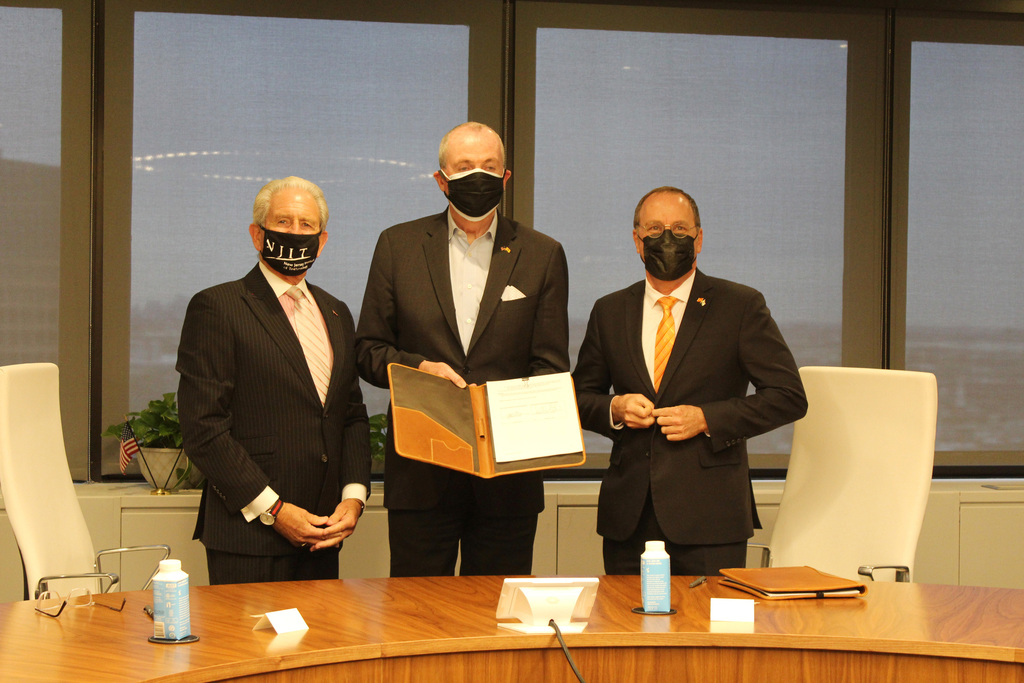
אוניברסיטת בן-גוריון ו-NJIT יקימו מכון מחקר לטכנולוגיות עתידיות
קרא עוד
בונים עולם חדש

הרשמה לאוניברסיטת בן-גוריון בנגב

קרא עוד